JJHub Internal Application UI
While the JJHub UI (hosted at jjhub.tech) is currently under active development and not broadly released, we have a functional prototype demonstrating the core product vision! Once authenticated, developers gain access to a powerful interface crafted specifically to bridge the gap between traditional workflows and our modern “Agent-Powered Engineering” paradigm. Here is a sneak peek at the internal application.1. Repositories Dashboard
Your control center. The Dashboard consolidates all your projects and offers quick navigation to Readouts, Integrations, and specialized Workspace tools.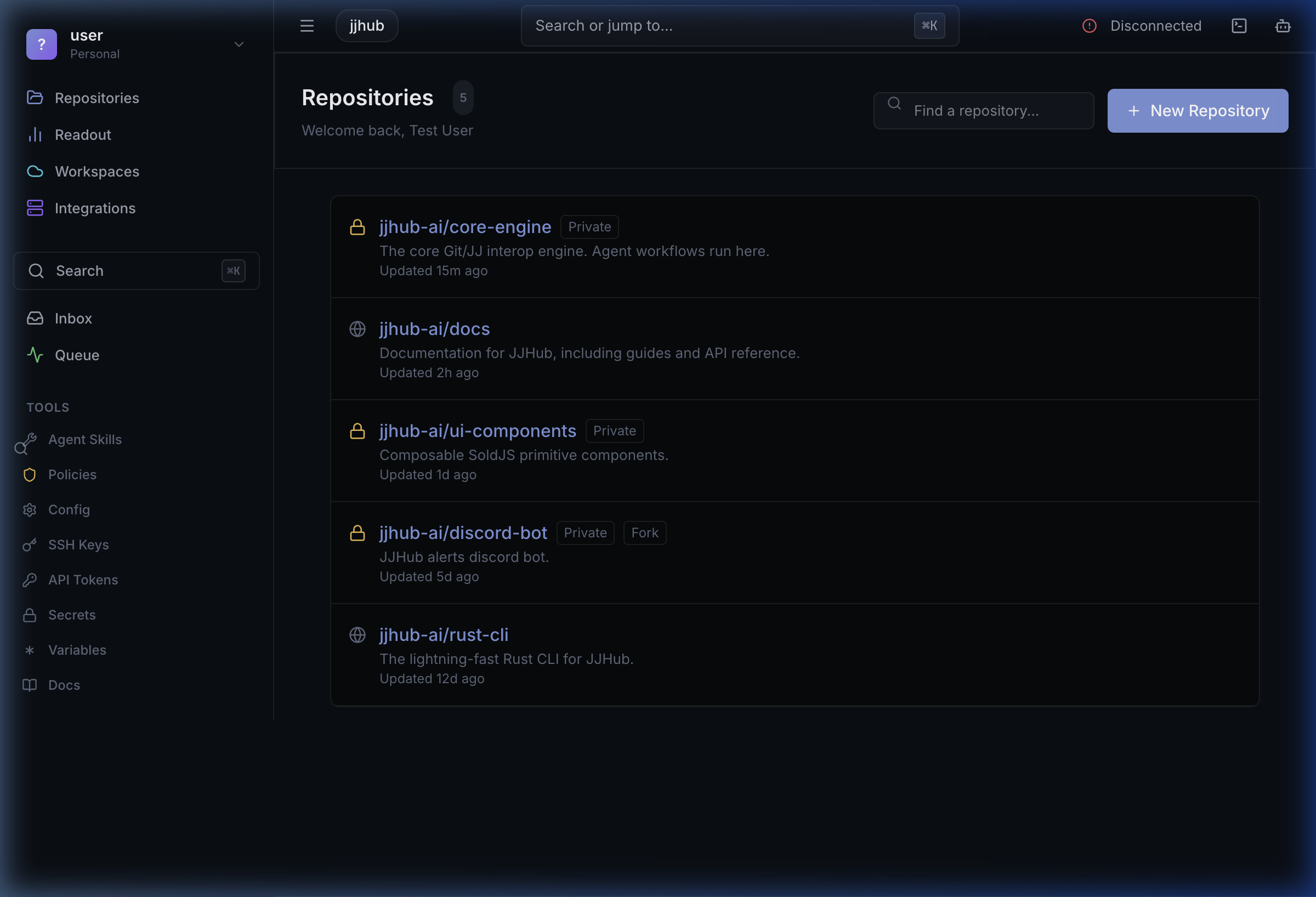
2. Global Inbox
The Inbox serves as a unified notification center. Whether an AI agent requests review on a Landing Request, or a teammate mentions you in an issue, everything flows through here to ensure nothing is missed.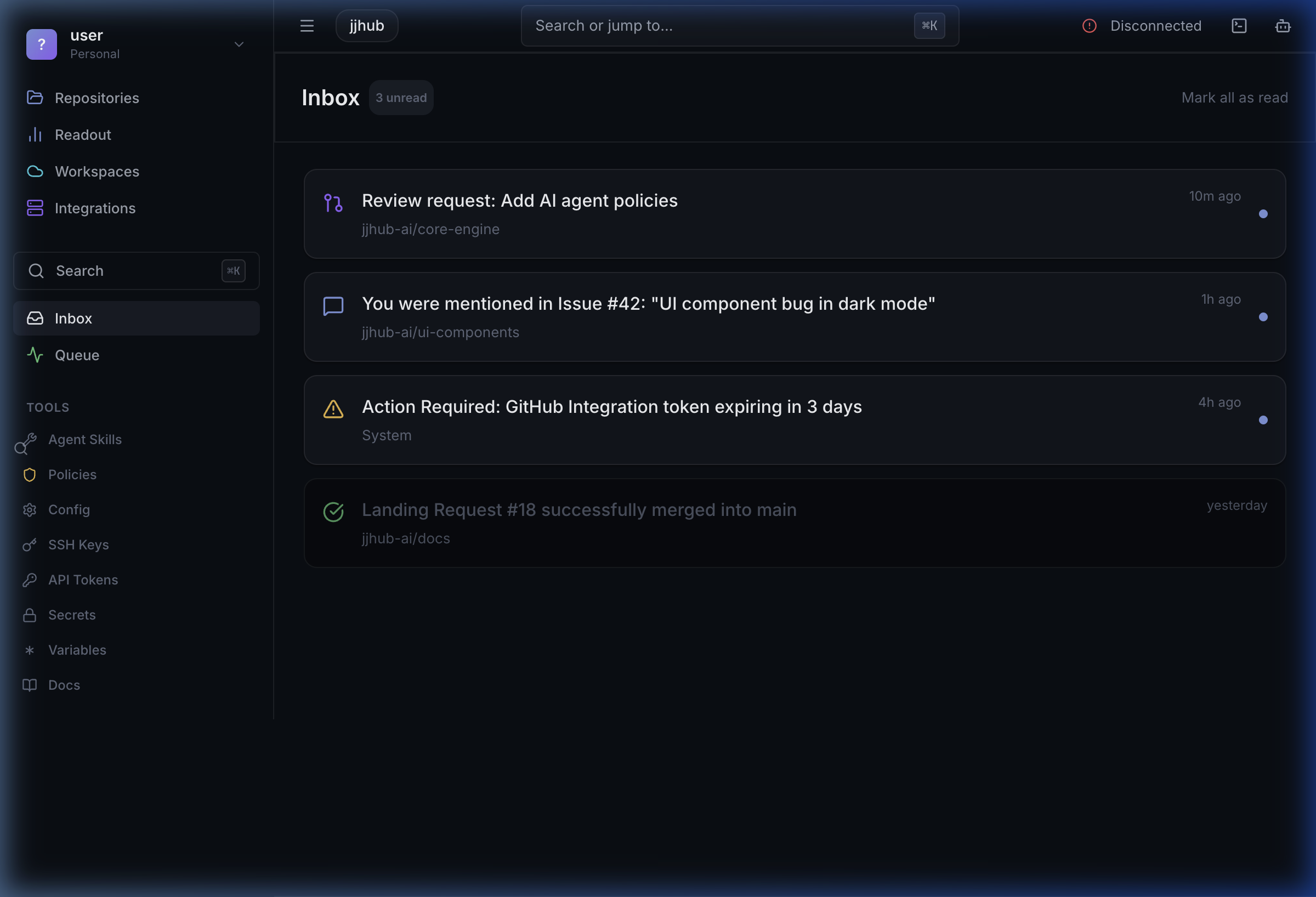
3. Integrations & Skills Store
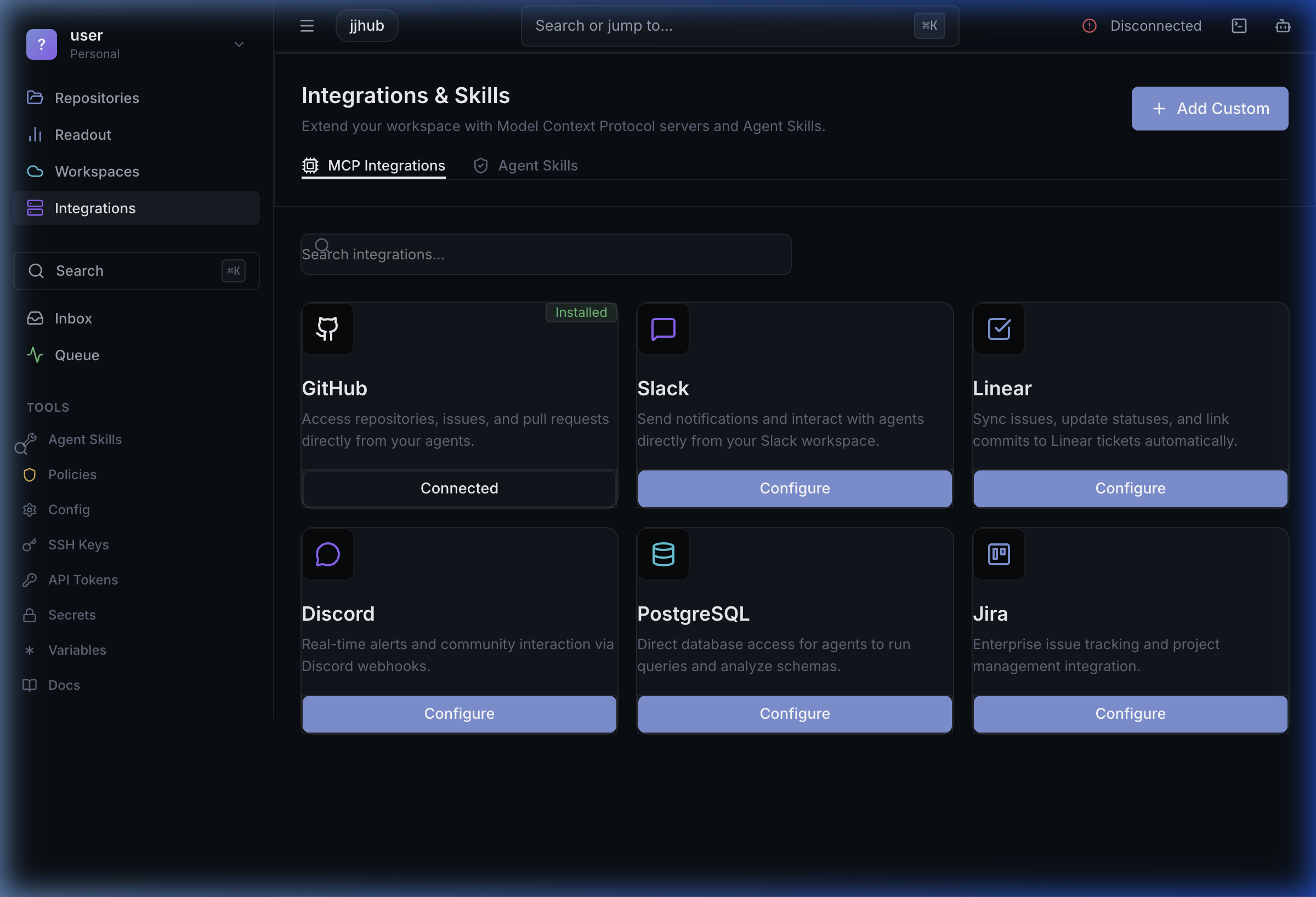
JJHub is built to extend your existing workflow seamlessly. The built-in Integrations view functions like an App Store, allowing you to connect external services such as GitHub Mirror, Linear Sync, Notion Sync, and PostgreSQL, then install custom Agent Skills to augment your workspace. Linear can be configured from either the browser UI or the CLI. Open Linear Sync in the Integrations view to run the OAuth flow in the browser, or usejjhub extension linear install when you want a scriptable setup path. See the Linear Integration guide for both flows.
GitHub Mirror follows the Gitea push-mirror model. Open GitHub Mirror in the Integrations view to review the required environment variables, webhook events, and provisioning requirements. You must create the destination GitHub repository before enabling sync. See the GitHub Mirror guide for the full setup flow.
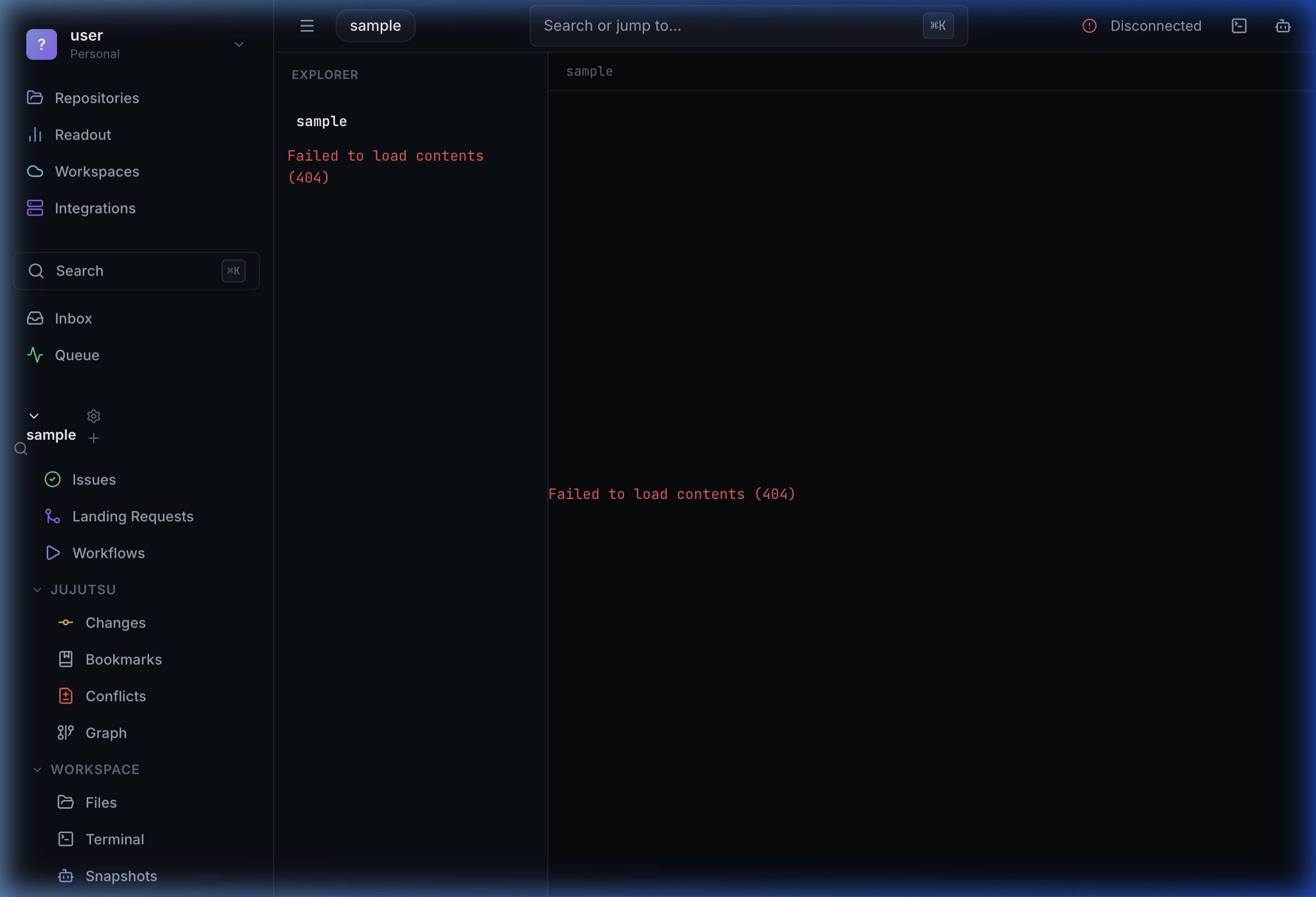
4. Jujutsu-Native Repository View
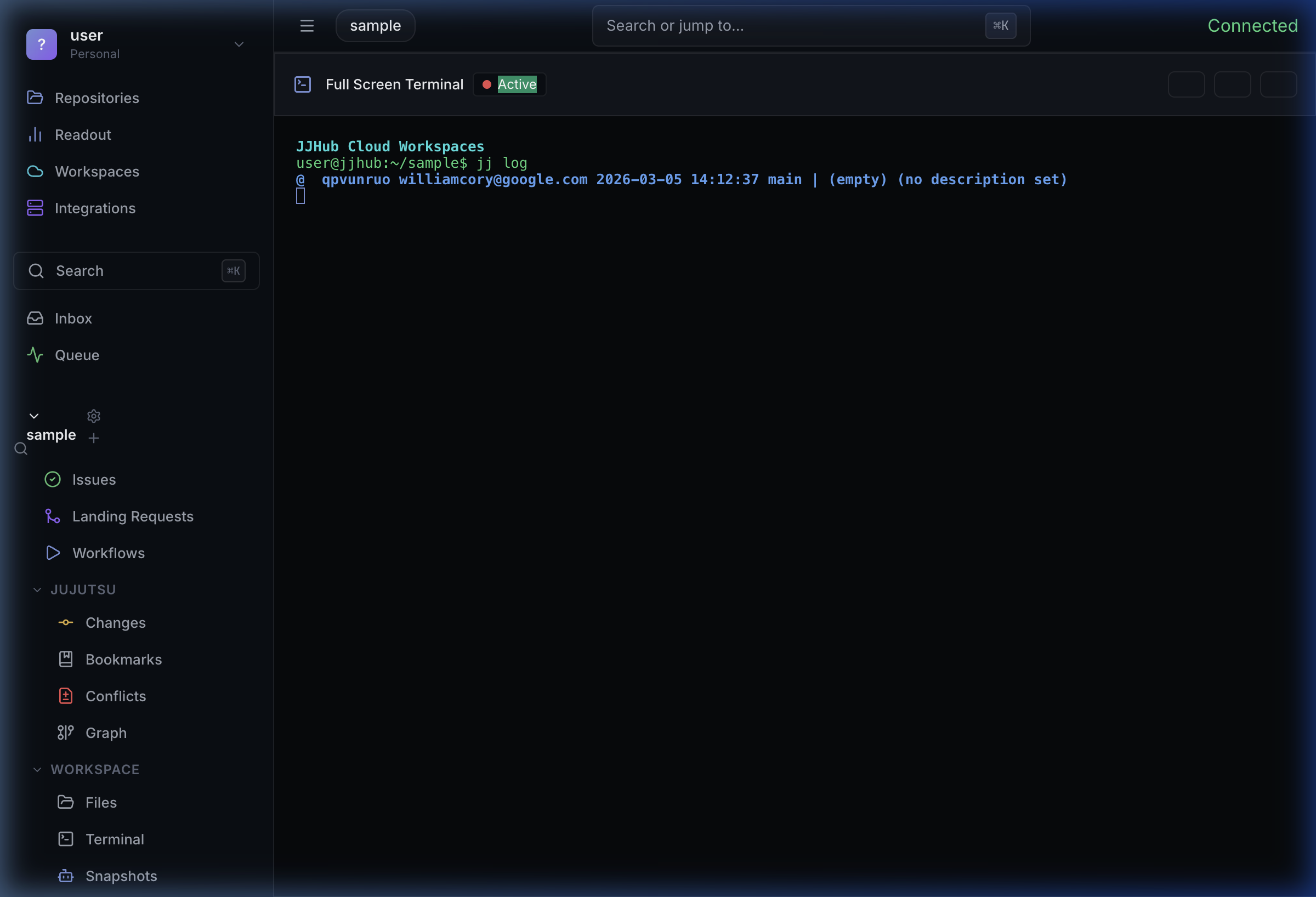
Unlike traditional platforms, JJHub’s repository view natively understands the power of Jujutsu (jj). The contextual sidebar provides immediate access to core jj concepts:
- Changes & Bookmarks: Native tracking of continuous work.
- Conflicts: First-class conflict resolution.
- Graph: Visual stack representations.
- Landing Requests: The evolution of Pull Requests designed for stacked diffs.
5. Integrated Workspace Terminal
The cloud workspace environment includes a fully integrated terminal powered by libghostty. You have direct SSH access to your project containers, allowing you to runjj commands, interact with your repository, or test code live in the browser without dropping into your local shell.